
The management of Mac devices has become a strategic IT priority. Discover how modern MDM tools, automation and Apple services make device management more efficient and secure than ever – from deployment right through to decommissioning.
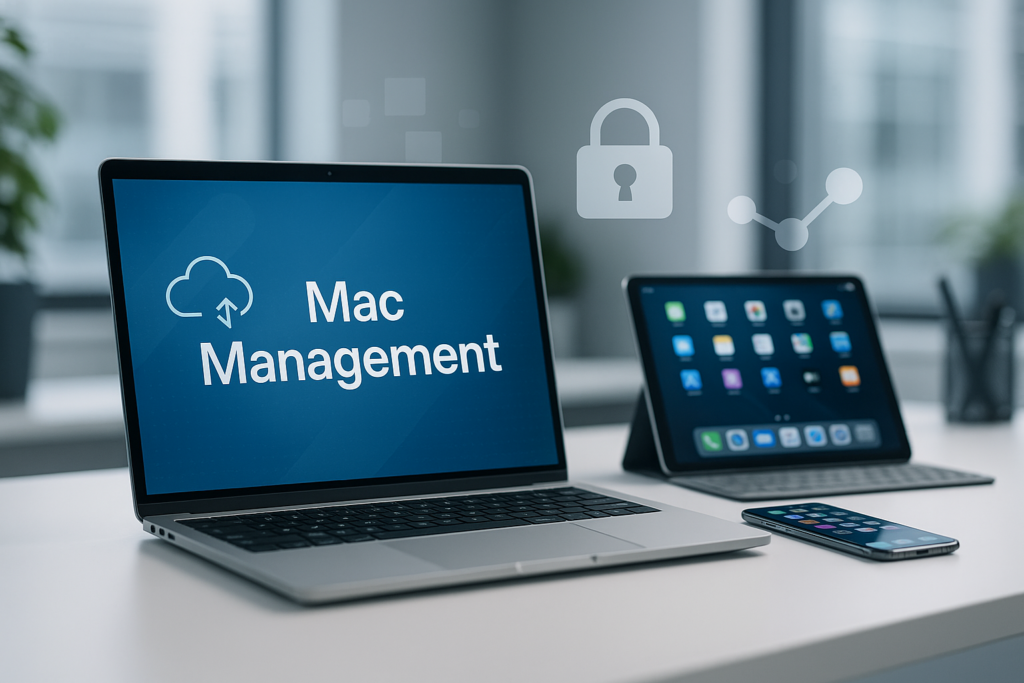
The management of Mac devices in corporations has evolved in recent years from a niche task to a strategic IT priority. Increasingly, organizations are choosing macOS as their preferred operating system – whether due to its high user acceptance, seamless integration into modern workflows, or first–class security architecture.
But as the number of Macs in enterprise environments grows, so do the challenges for IT administrators: How can Apple devices be deployed efficiently, managed centrally, and operated securely at the same time?
Cortado offers a comprehensive solution for Mac Management that is specifically tailored to the requirements of medium to large companies. As an award–winning provider – as certified by OMR Reviews, we understand the specific demands of Apple device management.
In this guide, you will learn everything about the fundamentals of Mac administration, important tools, and best practices.
Fundamentals of Mac Administration: Understanding the macOS Framework
MacOS administration differs fundamentally from the administration of other operating systems. Apple has developed its own framework, based on standardized protocols and services. At its core lies the MDM protocol (Mobile Device Management), which enables secure communication between a management server and the endpoint device.
Central to Mac Management is the Apple Push Notification Service (APNs). This service acts as a bridge between your MDM solution and the managed Mac devices. Commands for management, configuration profiles and policies are delivered securely to the devices — in real time and encrypted.
Configuration profiles form the heart of Mac administration. They define security policies, network settings, email configurations and much more. These profiles are created centrally and distributed automatically to the managed devices. With the Cortado solution for Mac you create such profiles intuitively via a web-based console — no programming knowledge required.
Seamless Administration in the Apple Ecosystem
iPhone, iPad and Mac work seamlessly with each other thanks to Apple Continuity — and with Cortado MDM, their administration is unified too. The platform enables a consistent, central control of Apple devices in the company — from the mobile iOS and iPadOS fleet to desktop systems running macOS.
Naturally, Cortado MDM supports all current Mac models, including MacBook Pro and MacBook Air, as well as all Apple Silicon processors — from M1 through M2, M3, M4 and M5 to future generations. This means your IT infrastructure is optimally prepared for the future of the Apple ecosystem.
Key Tools and Services for Apple Device Administration
For professional Enterprise Mac Management, you need the right tools. Apple provides several services that integrate seamlessly with modern MDM solutions:
Apple Business Manager (ABM)
ABM is the central hub for managing all Apple devices within an organization. Here you register your Mac computers, assign them to your MDM solution and manage apps and licenses. ABM facilitates Automated Device Enrollment (ADE), where devices are automatically integrated into your MDM environment at first startup.
Apple School Manager (ASM)
This is the variant of Business Manager for educational institutions. It offers additional functions for schools and universities, such as management of student IDs and shared iPads. The underlying principles correspond to those of ABM.
Volume Purchase Program (VPP)
Through this service, you purchase apps and books in bulk at discounted conditions. Licences are managed centrally and can be assigned to users or devices. With Cortado MDM you distribute VPP licences automatically, based on user groups or departments.
Automated Device Enrollment (ADE)
Formerly known as DEP (Device Enrollment Program), ADE enables the automatic MDM enrolment of new devices. As soon as an employee switches on a new MacBook for the first time, it is automatically connected to the MDM solution — without manual IT support involvement.
These tools form the foundation for a modern macOS client-management strategy. They significantly reduce administrative effort while improving both security and compliance.
Tip: A step-by-step guide to setting up and registering devices via Automated Device Enrollment (ADE) with Cortado MDM is available in our documentation.
The Mac Lifecycle: From Deployment to Decommissioning
A structured approach to managing Mac computers in enterprise environments follows the entire device lifecycle. With the right MDM solution you simplify and automate each step:
- Procurement and registration: New Mac devices are registered directly when purchased via Apple Business Manager. They are automatically assigned to your organization and prepared for MDM management.
- Zero-touch deployment: An employee receives their new MacBook and powers it on. Without manual configuration, the device connects to Cortado MDM, downloads all required configuration profiles and installs the necessary enterprise-apps.
- Configuration management: During the usage period security policies, WiFi profiles, VPN settings and other configurations are managed centrally and updated as needed. Changes are transmitted in real-time to all managed devices.
- Software deployment and updates: Apps are delivered via a self-service catalogue or installed automatically. macOS updates can be controlled and scheduled to minimise downtime.
- Inventory management and reporting: IT administrators always have a complete overview of all Mac devices, their configuration status, installed software and compliance status. Cortado MDM provides detailed reports for audits and compliance evidence.
- Support and troubleshooting: In case of technical issues, IT administrators can execute remote commands, lock devices or reset passwords — all from a central management console.
- Decommissioning: When an employee leaves the company, the IT department is not dependent on that person resetting the Mac themselves. With an MDM solution like Cortado, the device can be reset by IT and prepared for a new team-member. Even erasing all corporate data remotely poses no problem.
This structured approach significantly reduces IT support effort while also improving the end-user experience.
FAQ: Frequently Asked Questions about Mac Management
MDM stands for Mobile Device Management and describes the central management of Apple devices via a secure protocol. It enables IT administrators to configure devices, set policies and protect corporate data.
Cortado MDM supports almost all current Apple devices — including iPhone, iPad and Mac. Modern Apple Silicon processors such as M1, M2, M3, M4, M5 and upcoming generations are fully supported.
Zero-touch deployment automates the initial setup of new devices using Apple Automated Device Enrollment (ADE). Employees no longer need to perform manual configuration — the device is automatically added to the MDM solution when first turned on and is ready for use immediately.
Cortado MDM is specifically tailored to medium-sized and large enterprises. It combines an intuitive interface with comprehensive Apple integration, high operational standards and flexible reporting functions — developed and operated in Germany with hosting in German data centres.
Yes. Cortado Mobile Solutions is a German company and meets all GDPR requirements. Data processing takes place in our data centre in Frankfurt am Main, which is certified according to the strict C5 standards of the German Federal Office for Information Security (BSI).
Conclusion: Professional Mac Management as a Competitive Advantage
Efficiently managing Apple devices in a business environment is no longer a “nice-to-have”, but a strategic necessity. With the right combination of Apple tools such as Business Manager and a powerful MDM solution you can achieve a secure, scalable and user-friendly IT environment.
Cortado provides you with all the functions you need for modern Mac Management — from automated deployment through central configuration management to comprehensive reporting capabilities. Our solution was developed especially for the needs of IT administrators and combines maximum security with highest user-friendliness.
Ready to take your Mac Management to the next level?
Discover Mac Management with Cortado. Test our solution free of charge and without obligation or arrange a personal demo with our experts.